GolfCam Training Cameras
Two-angle coaching camera system with Android swing review
Hardware / Android / CAD / Golf Coaching Technology
The story
GolfCam came from the same frustration I kept having in golf practice: one camera angle never tells the whole story. A Face-On view can show body movement and weight shift, while a Down-the-Line view shows club path, posture, and plane. Coaches use both angles all the time, but setting them up, recording them together, and reviewing them in sync is normally clunky. I wanted a tool I could take to the range, tap Record Swing once, and get both views ready for review on my phone. That meant building the whole system myself: the camera hardware, the CAD enclosure, the Raspberry Pi services, and the Android app.
Why I built it
The hard part was not just filming two videos. The system had to make two separate camera units behave like one coaching tool. They needed to be portable, start recording at nearly the same time, save usable video files, send them back to the phone, and let me compare the same moment of the swing without juggling files manually.
What I built
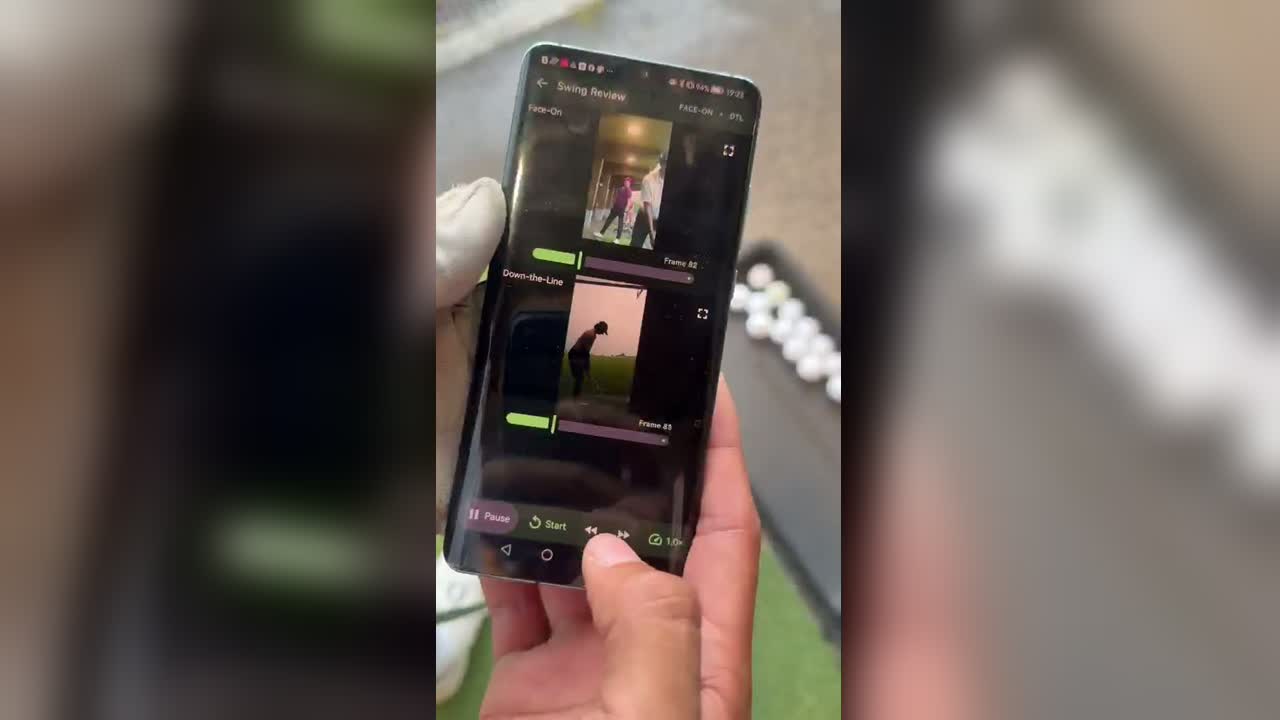
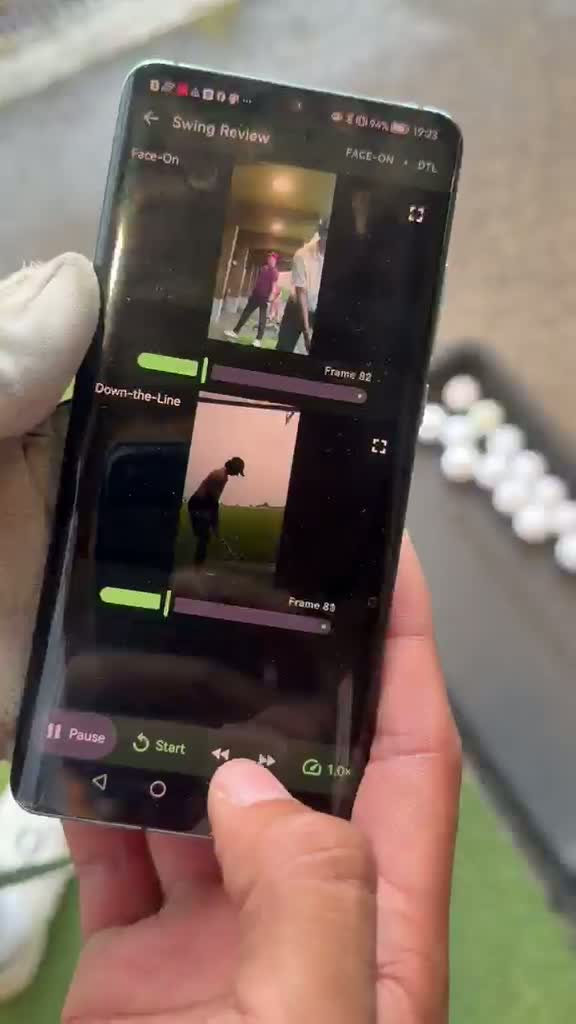
I built two Raspberry Pi Zero W camera units with Camera Module 3 sensors, portable power, and CAD-designed custom enclosures. Each Pi runs a Flask REST service on port 8080. I also coded the Android app in Kotlin with Jetpack Compose. The app checks both cameras, sends both record commands concurrently, polls each camera through recording and processing, downloads the MP4 files, and opens a native Swing Review screen with split view, play together, sliders, slow motion, frame stepping, sync adjustment, zoom, maximise, and drawing tools.
What I did
- Designed and assembled both portable camera units myself
- Designed the portable camera enclosure in CAD and exported the STL for the case
- Built the Raspberry Pi REST recording service around rpicam-vid and ffmpeg
- Coded the Android app in Kotlin with Jetpack Compose, Retrofit, OkHttp, Media3, and DataStore
- Built the app workflow for camera health checks, REST discovery, recording, downloading, local capture storage, and swing review
- Tested the system at the range using real golf swings and two-angle review
- Documented the full setup, quick run flow, troubleshooting, and recovery process
How I built it
Build flow
Jetpack Compose Android app -> CameraRepository abstraction -> concurrent REST /record calls -> two Raspberry Pi camera services -> H264 capture -> ffmpeg MP4 remux -> validated concurrent download -> app-private local capture storage -> native dual-video swing review.
How it works
Each camera is a small REST device inside a custom enclosure. The app calls /health and /status to check readiness, then sends POST /record to both units at the same time. Each Pi records H264 with rpicam-vid, remuxes it to MP4 with ffmpeg, and exposes the file at /download/latest. The Android app streams downloads with OkHttp, rejects undersized files, retries transient failures, stores valid captures locally, and opens them in a swing-review screen where I can play both together, adjust sync, slow the footage down, step frame by frame, zoom, maximise one angle, draw coaching lines, and export annotated review videos.
Hardware
Software
What was hard
- Designing a compact enclosure that could hold the Pi, camera ribbon, lens opening, wiring, and battery without becoming awkward to mount
- Making two independent Raspberry Pi cameras start and finish recordings together
- Handling recording, processing, downloading, and errors without needing a laptop at the range
- Writing an Android app that separated demo mode from real REST cameras while keeping the review screen reusable
- Keeping Wi-Fi and hotspot setup reliable enough for outdoor practice
- Building a review interface where sync, slow motion, frame stepping, and drawing all feel useful on a phone screen
Build reference
Android app -> REST API -> Face-On and Down-the-Line Raspberry Pi camera units -> local MP4 download -> synchronised swing review.
Click to inspect
Demos and build notes
Product demos
Photos and notes
Project photos
Technical evidence
Screenshots
Results & impact
- ✓ Working V3 prototype, demonstrated at the range with real two-angle swing capture
- ✓ A daily workflow that's Android-only - no laptop, SSH, or browser needed at the range
- ✓ CAD enclosure exported as an STL for the portable camera case
What I'd tell past me
- A sports tool only gets used if setup is fast enough that I'd actually reach for it at practice
- Hardware fails in boring ways first - Wi-Fi, boot time, a loose ribbon cable - not the clever parts
- The review screen mattered as much as the capture system, because better coaching feedback was the whole point
If I keep going
- Add automatic impact detection so clips line up without manual syncing
- Build AI swing analysis on top of the synchronised footage - the natural next step toward a full AI golf coach